
Sure you could wear it all day long, but the Fuse doesn't shine 24/7.
Valentina Palladino
Mio has been in the fitness tracker market for a long time, but it's
seldom mentioned in the same breath as Fitbit, Jawbone, and Garmin. Mio
was one of the first companies to focus on wrist-bound heart rate
monitoring, and its monitors are known for their accuracy. The $129 Fuse
is the middle-of-the-road Mio device, competing with some of the newest
products from Fitbit and Garmin. It features an optical heart rate
monitor and daily activity tracking, but not much else.
Now after a few updates, the Fuse also tracks sleep, and it works with Mio's new PAI app, which uses its heart rate analysis to give you personal activity intelligence points when you keep your pulse elevated. While the Mio Go app gives you a daily picture of your activity, PAI provides a long-term view to encourage you to complete high-intensity activities as often as you can. If you're considered a mid-level Fitbit or Garmin device, the Fuse is another viable option if you're looking for a no-frills, no-nonsense tracker.
The module at the top is connected to the band, so whatever color you decide to get is the one you're stuck with. The LED display is hidden under the matte black silicone, lighting up only when one of its three pressure points are tapped. You can press and hold the top-center point to activate the heart rate monitor before starting an activity; the two side points are to scroll between screens in All-Day mode and in Workout mode. All-Day mode shows you the time, goal percentage, distance traveled, steps taken, and calories burned.
You get used to the invisible buttons after a while, but at first I just tapped all over the top of my wrist to figure out how to make it work. You have to be conscious of how long you press each point, especially the top-center, because if you press too long you can inadvertently start recording an activity when you're just chilling on the couch. Another weird control: pressing and holding both side points at once activates sleep mode, which tracks how much you move throughout the night.
While heart rate monitoring is the big feature of the Fuse (more on that in a minute), it can also act as your daily activity tracker. It monitors steps, calories, distance, swimming (resistant to 30 meters), and sleep, and it will record your resting heart rate right before you wake up. The Fuse doesn't get in the way while it records a workout, and you can customize vibration alerts that occur throughout the duration. The screen also turns on every once in a while to display your current heart rate, so you can easily glance down to check it. Unlike more expensive trackers like the Fitbit Surge, the Fuse doesn't have activity profiles to choose from on the band (think "elliptical," "treadmill," cycling," etc), but it does have a small list in the Go app so you can choose the activity that you were doing in each session once your data is synced.

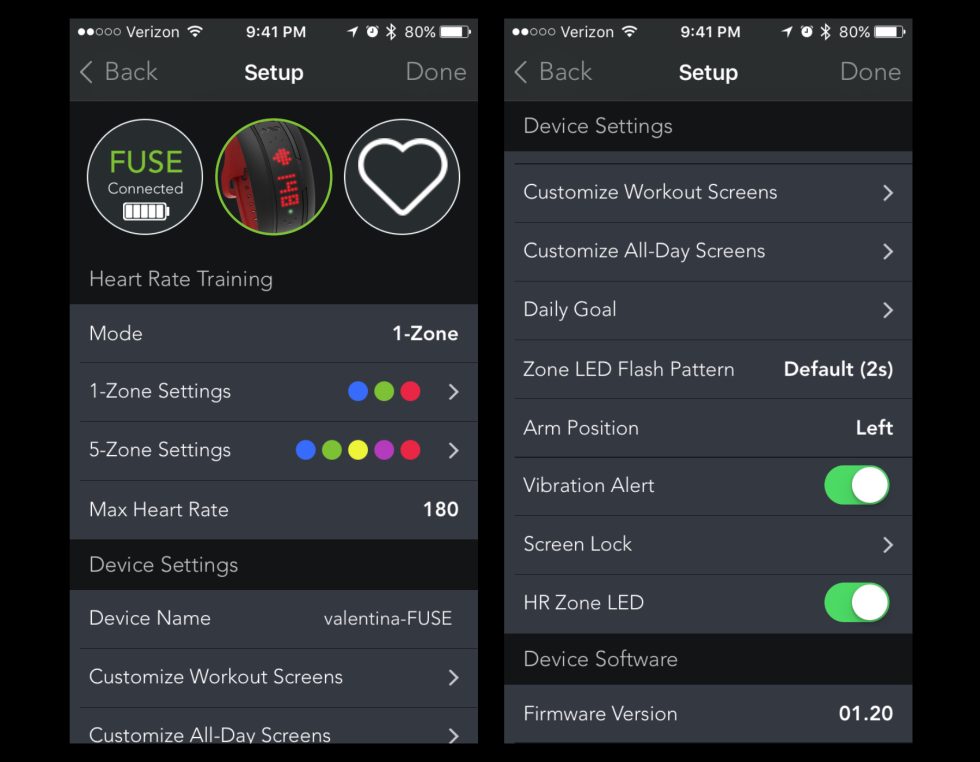
I also like that you can choose from 1-Zone or 5-Zone heart rate settings. This is just how the Fuse and the Mio Go app break down your heart rate zones: 1-Zone has three levels (below target, target zone, and above target) while 5-Zone has five levels (rest, very light, light, moderate, hard, and maximum). 1-Zone is perfect for anyone trying to reach a certain heart rate, and 5-Zone is good for people like me who just want to see how far they can push themselves to get their heart rate as high as possible.
Listing image by Valentina Palladino
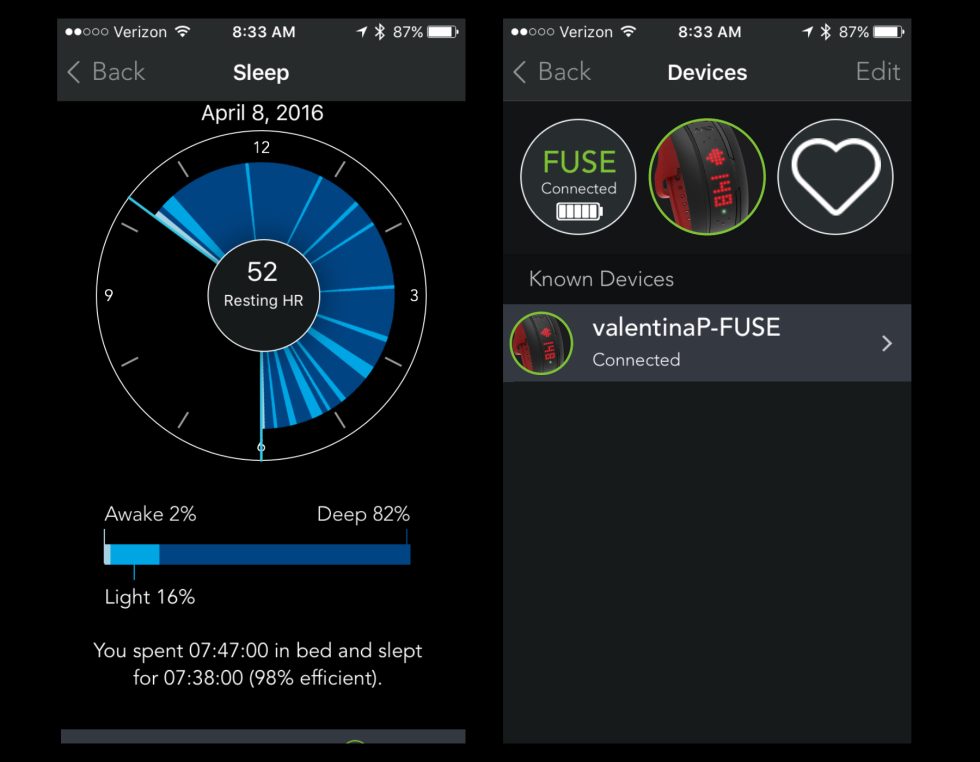
 Tap on any of these cards and you'll see a graphical breakdown of
your activity or sleep. Each sleep view gives you your resting heart
rate—which is a good metric to assess overall health since it's how hard
your heart has to work just before you get out of bed—and a sleep
efficiency score. That measures how long you were in light and deep
sleep in relation to how long you were in bed for the entire night: the
higher the sleep efficiency score, the better.
Tap on any of these cards and you'll see a graphical breakdown of
your activity or sleep. Each sleep view gives you your resting heart
rate—which is a good metric to assess overall health since it's how hard
your heart has to work just before you get out of bed—and a sleep
efficiency score. That measures how long you were in light and deep
sleep in relation to how long you were in bed for the entire night: the
higher the sleep efficiency score, the better.
I really like how Mio Go lays out your workout deep-dive pages. You can edit which activity you did at the top (think running, climbing, mountain biking, swimming, etc.). Right below that is a swipe-able graphic that shows average heart rate, time, distance, calories, most frequent heart rate zone, most frequent zone time, and average elevation. Underneath that you'll find your max scores for heart rate, speed, and pace, as well as a colorful line graph of the duration of your workout and the heart rate zones you reached at every moment. Even though the app itself is dark and gray, these pages are colorful and engaging with the swipe-ready tiles and graphic representation of your heart rate.
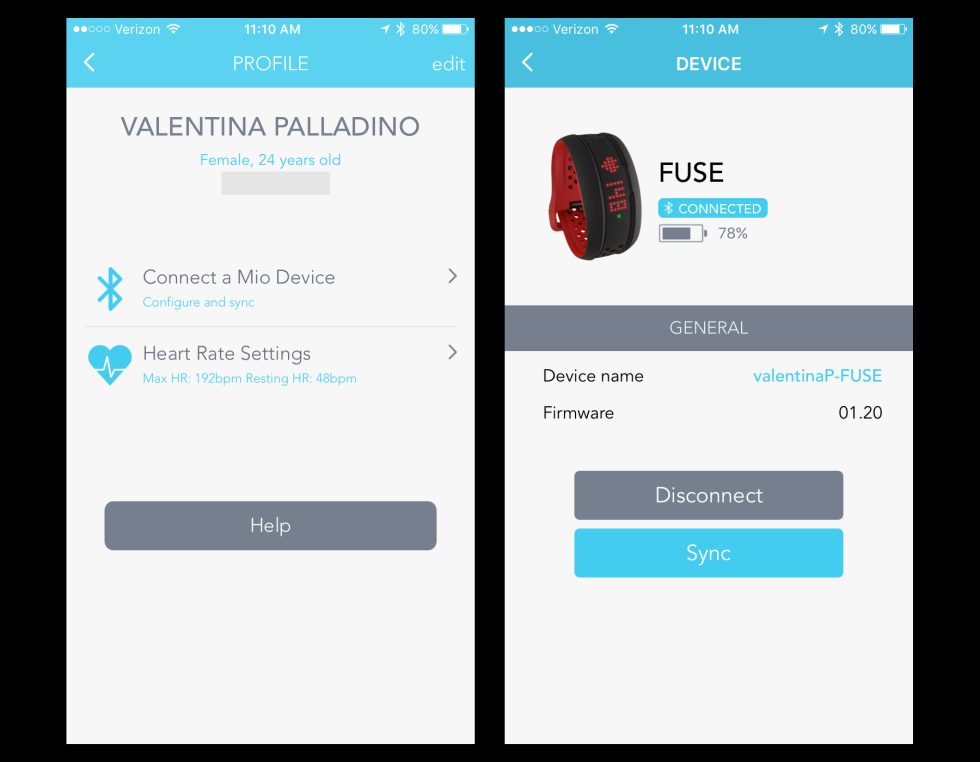
I did have an issue with syncing the Mio Go app. At first, the app saw two different Mio devices around me (there was only one), making it hard for me to correctly pair and sync my Fuse. A few times after that, the app would claim my most recent data had been synced, when none of it actually showed up. However, after the third day of using the Fuse, the problems seemed to have cleared up.
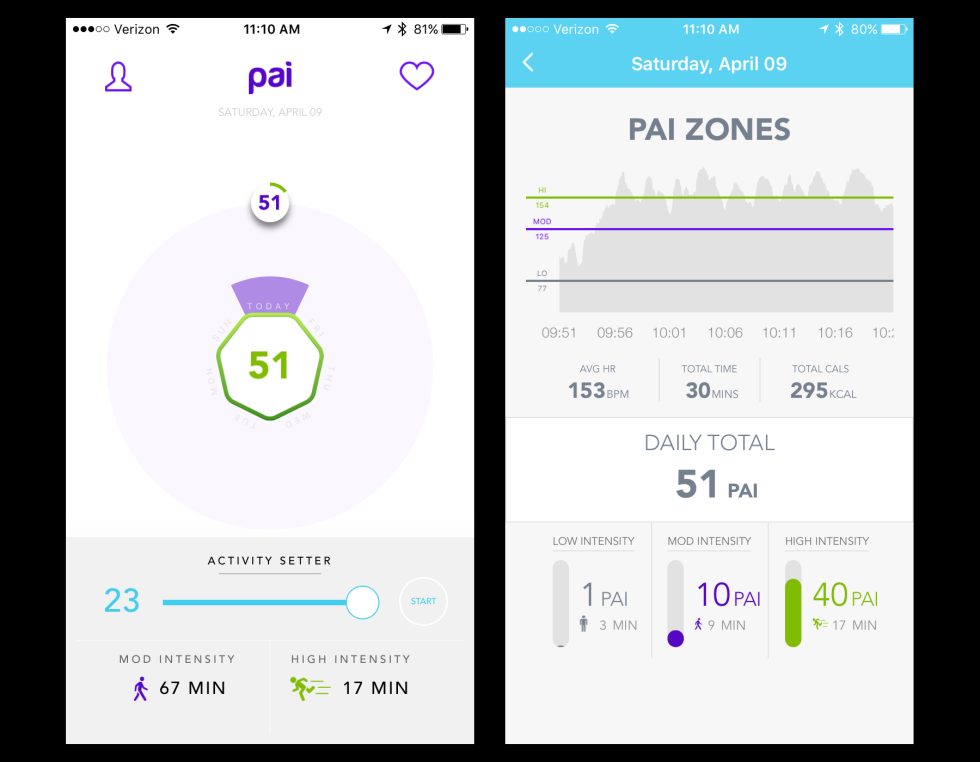
Mio's newest app is called PAI, which stands for personal activity intelligence. PAI basically scans your Fuse for the amount of time you've spent completing high-intensity activities, or activities that get your heart rate up. The app then scores you depending on that metric; more points means you're living a healthier lifestyle, as regular vigorous exercise contributes to an overall healthier life. PAI breaks down your points by day, with a circle in the middle of the app showing how many PAI points you've gotten each day of the week so far. At the bottom, it'll give you suggestions of how many minutes of high- and low-intensity exercises you'd need to complete to reach a healthy PAI score for the week.
While the PAI score has a lot of value, I wish it was just incorporated into the Mio Go app. Alone, the PAI app does nothing more than sync to your Fuse and display that score. It doesn't even show you individual workouts or daily activity stats. The PAI score supplements all the rest of your fitness data, so I think it would be best to consolidate both apps into one.
Also, currently you can only sync data from the Fuse to one app at a time—meaning if you sync Tuesday's data to the PAI app, it's completely removed from the Fuse and cannot be synced to Mio Go at all. A Mio representative told me the company is working to make data available to both apps at once, but as of now, that's arguably the most inconvenient part about the Mio Go-PAI relationship.
But that's where the Fuse proves itself the most. Its wrist-bound heart rate monitor is accurate, and even while vigorously exercising and getting your pulse up high, it doesn't lose signal. Anyone who wants a device to train with that focuses on heart rate will get a lot of use out of the $129 Fuse. It's also compatible with other training apps like MapMyRun, MapMyRide, Strava, and more, so you can mesh the Fuse with other useful features like GPS route mapping.
Could you wear it all day long? Absolutely. Would I recommend it? Probably not. There are plenty of other trackers that provide a better all-day activity monitoring experience. The Fuse is at its best when you're sweating bullets on your morning bike ride with your heart pumping at 170 bpm, and that's reflected in Mio Go's detailed heart rate analysis and in the device's overall performance.
Now after a few updates, the Fuse also tracks sleep, and it works with Mio's new PAI app, which uses its heart rate analysis to give you personal activity intelligence points when you keep your pulse elevated. While the Mio Go app gives you a daily picture of your activity, PAI provides a long-term view to encourage you to complete high-intensity activities as often as you can. If you're considered a mid-level Fitbit or Garmin device, the Fuse is another viable option if you're looking for a no-frills, no-nonsense tracker.
Design: Practical, not pretty
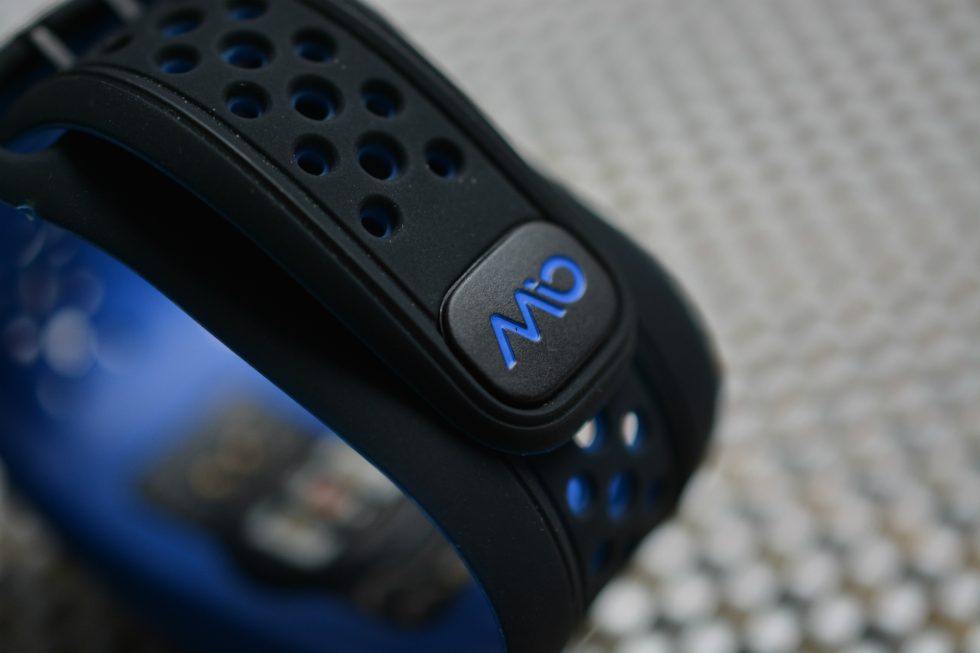
Mio products don't look like any other trackers on the market. The Fuse, like the other three Mio fitness trackers, has a soft silicone band with a bunch of holes in it that are both decorative and serve as anchors for its wristwatch-style buckle. It's about an inch wide at its thickest, making it too bulky and unfashionable to be an all-day device. At a time when other companies are striving to pack their thin, fashion-forward devices (like the $149 Fitbit Charge HR or the $149 Garmin Vivosmart HR) with around-the-clock features like smartphone notifications and caller ID, the Fuse doesn't have any. However, the Fuse is super comfortable and secure to wear during workouts—I've always liked that Mio eschews vanity in favor of devices that are practical when you're sweating on the treadmill or flailing your arms during Zoomba class.The module at the top is connected to the band, so whatever color you decide to get is the one you're stuck with. The LED display is hidden under the matte black silicone, lighting up only when one of its three pressure points are tapped. You can press and hold the top-center point to activate the heart rate monitor before starting an activity; the two side points are to scroll between screens in All-Day mode and in Workout mode. All-Day mode shows you the time, goal percentage, distance traveled, steps taken, and calories burned.
You get used to the invisible buttons after a while, but at first I just tapped all over the top of my wrist to figure out how to make it work. You have to be conscious of how long you press each point, especially the top-center, because if you press too long you can inadvertently start recording an activity when you're just chilling on the couch. Another weird control: pressing and holding both side points at once activates sleep mode, which tracks how much you move throughout the night.
While heart rate monitoring is the big feature of the Fuse (more on that in a minute), it can also act as your daily activity tracker. It monitors steps, calories, distance, swimming (resistant to 30 meters), and sleep, and it will record your resting heart rate right before you wake up. The Fuse doesn't get in the way while it records a workout, and you can customize vibration alerts that occur throughout the duration. The screen also turns on every once in a while to display your current heart rate, so you can easily glance down to check it. Unlike more expensive trackers like the Fitbit Surge, the Fuse doesn't have activity profiles to choose from on the band (think "elliptical," "treadmill," cycling," etc), but it does have a small list in the Go app so you can choose the activity that you were doing in each session once your data is synced.

Valentina Palladino
The Mio Fuse's LED display shows information minimalistically, including steps, calories, distance, and heart rate.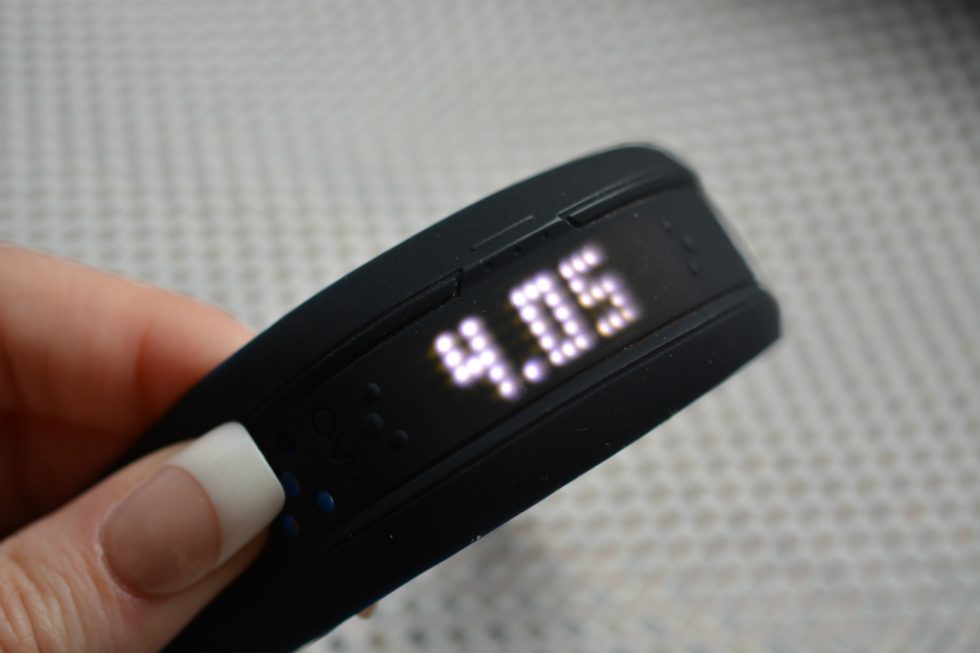



Features: The one and only heart rate
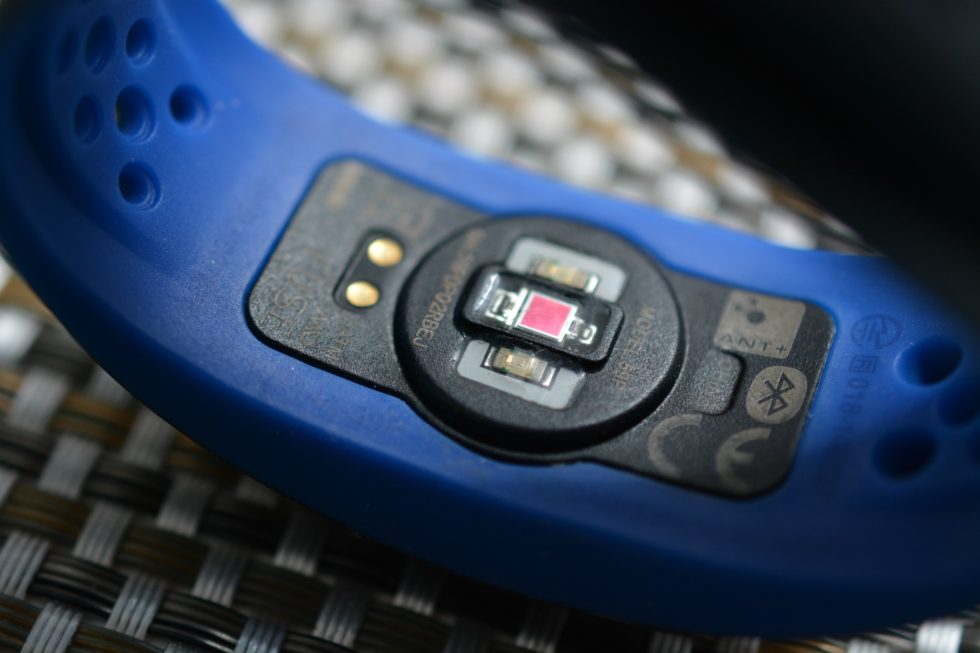
The Fuse doesn't bother with extra frills. It tracks activity and heart rate. That's it. As I said before, Mio is known for its consistently accurate optical heart rate monitors, and the Fuse is no different. You can tap and hold the top-center point to get a heart rate measurement, typically within a few seconds. In my time using the Fuse, its readings were always close to my own pulse measurements. It's difficult for most fitness trackers to maintain consistent accuracy as your heart rate increases—we're talking above 120 bpm—but the Fuse handled high heart rates very well.I also like that you can choose from 1-Zone or 5-Zone heart rate settings. This is just how the Fuse and the Mio Go app break down your heart rate zones: 1-Zone has three levels (below target, target zone, and above target) while 5-Zone has five levels (rest, very light, light, moderate, hard, and maximum). 1-Zone is perfect for anyone trying to reach a certain heart rate, and 5-Zone is good for people like me who just want to see how far they can push themselves to get their heart rate as high as possible.
Listing image by Valentina Palladino
Mio Go and PAI: two apps that should be one
The Mio Go app for Android and iOS syncs with all of Mio's devices. You'll have to make an account and choose which device you have and want to sync afterwards. It's a fairly straightforward app with a lackluster yet decent design. At the top of the homepage, you'll see a synopsis of your most recently recorded workout. Directly below that are cards that represent your daily step goal, recorded sleep, and any other activities you've recorded. Everything from the past couple days is there for you to see in an infinite scroll, which is convenient if you want to refer to workouts from several days ago quickly.
The Mio Go homepage shows current activity for the day, the number of workouts you've recorded, and your sleep time.
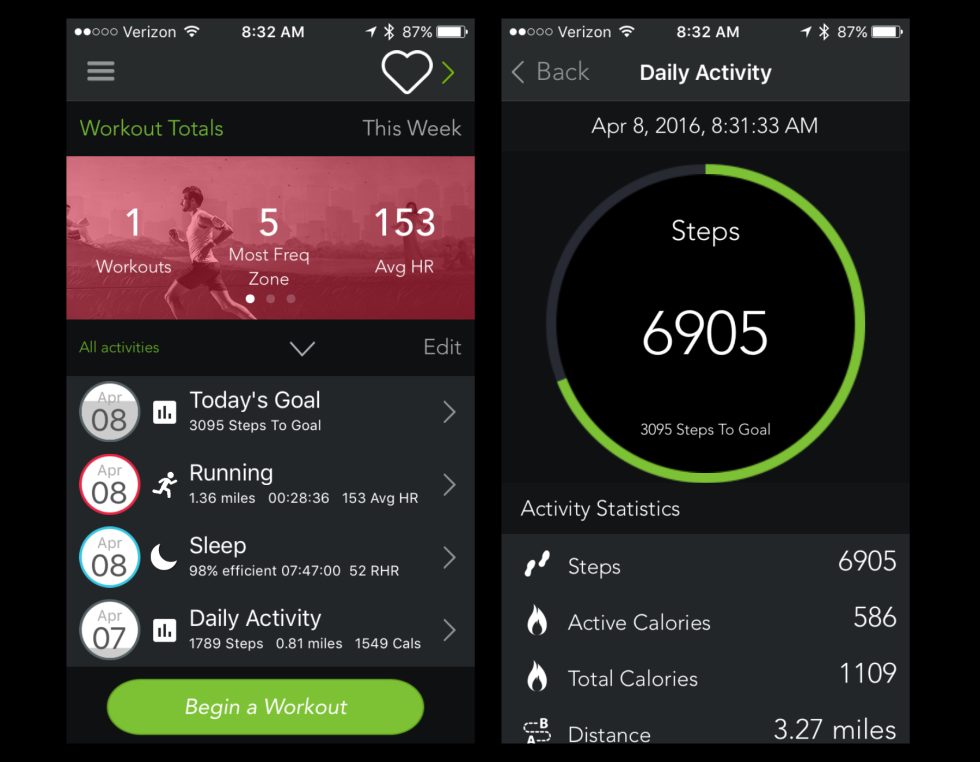
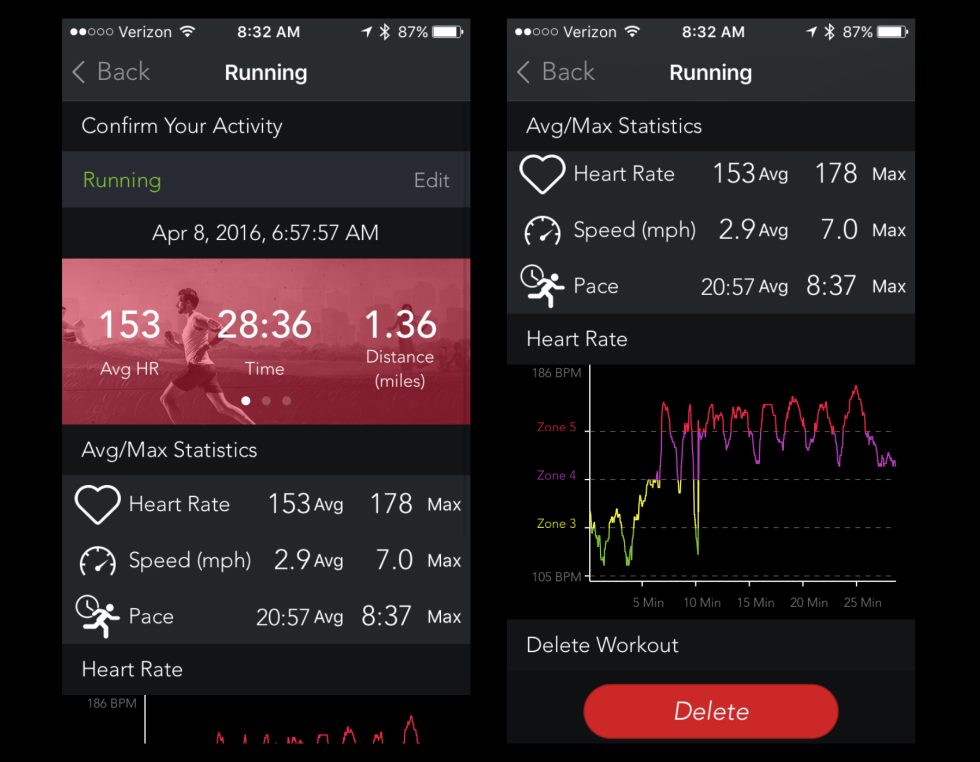
I really like how Mio Go lays out your workout deep-dive pages. You can edit which activity you did at the top (think running, climbing, mountain biking, swimming, etc.). Right below that is a swipe-able graphic that shows average heart rate, time, distance, calories, most frequent heart rate zone, most frequent zone time, and average elevation. Underneath that you'll find your max scores for heart rate, speed, and pace, as well as a colorful line graph of the duration of your workout and the heart rate zones you reached at every moment. Even though the app itself is dark and gray, these pages are colorful and engaging with the swipe-ready tiles and graphic representation of your heart rate.
I did have an issue with syncing the Mio Go app. At first, the app saw two different Mio devices around me (there was only one), making it hard for me to correctly pair and sync my Fuse. A few times after that, the app would claim my most recent data had been synced, when none of it actually showed up. However, after the third day of using the Fuse, the problems seemed to have cleared up.
Mio's newest app is called PAI, which stands for personal activity intelligence. PAI basically scans your Fuse for the amount of time you've spent completing high-intensity activities, or activities that get your heart rate up. The app then scores you depending on that metric; more points means you're living a healthier lifestyle, as regular vigorous exercise contributes to an overall healthier life. PAI breaks down your points by day, with a circle in the middle of the app showing how many PAI points you've gotten each day of the week so far. At the bottom, it'll give you suggestions of how many minutes of high- and low-intensity exercises you'd need to complete to reach a healthy PAI score for the week.
While the PAI score has a lot of value, I wish it was just incorporated into the Mio Go app. Alone, the PAI app does nothing more than sync to your Fuse and display that score. It doesn't even show you individual workouts or daily activity stats. The PAI score supplements all the rest of your fitness data, so I think it would be best to consolidate both apps into one.
Also, currently you can only sync data from the Fuse to one app at a time—meaning if you sync Tuesday's data to the PAI app, it's completely removed from the Fuse and cannot be synced to Mio Go at all. A Mio representative told me the company is working to make data available to both apps at once, but as of now, that's arguably the most inconvenient part about the Mio Go-PAI relationship.
Built for high-intensity training
Mio has had a number of chances to make its products more like everyone else's, but it continues to go its own way. The Fuse is bulky compared to other fitness bands, but it still manages to be useful. It's certainly limited compared to similar Fitbit and Garmin products—it can't deliver smartphone notifications to your wrist, it has no alarms, and its shining feature is heart rate, which casual users probably won't use often at all.But that's where the Fuse proves itself the most. Its wrist-bound heart rate monitor is accurate, and even while vigorously exercising and getting your pulse up high, it doesn't lose signal. Anyone who wants a device to train with that focuses on heart rate will get a lot of use out of the $129 Fuse. It's also compatible with other training apps like MapMyRun, MapMyRide, Strava, and more, so you can mesh the Fuse with other useful features like GPS route mapping.
Could you wear it all day long? Absolutely. Would I recommend it? Probably not. There are plenty of other trackers that provide a better all-day activity monitoring experience. The Fuse is at its best when you're sweating bullets on your morning bike ride with your heart pumping at 170 bpm, and that's reflected in Mio Go's detailed heart rate analysis and in the device's overall performance.
The Good
- Comfortable, adjustable design.
- Accurate heart rate monitor that can support high heart rate levels.
- Can track a number of exercises, including swimming.
- Mio Go app paired with the device makes it easy to train using heart rate zones.
The Bad
- Does not have customizable alarms or receive smartphone alerts.
- Mio Go app had syncing issues in the first couple days of use.
- PAI companion app's features should just be lumped into Mio Go.
The Ugly
- Comparted to similar devices, the Fuse looks like a gaudy laser tag arena admissions band.
Post a Comment